
Server-side rendering consent management for reliable choices

A consent banner can appear quickly yet still fail when a visitor’s choice needs to reach an API. With server-side rendering consent management, the server includes the interface in the HTML, and the browser then hydrates it with interactive behavior. The server can also apply consent state to requests, helping keep API access, consent records, and synced preferences aligned with the visitor’s choice.
It makes sense to focus on what visitors see: the banner and preference center are where they make their choices. But a reliable consent experience also depends on what happens behind the interface. A choice must travel through the system and reach the services that act on it.
This article explains how server-side and client-side rendering shape consent interfaces, how authorization controls protect consent APIs, and how records and preferences can stay consistent across requests. You’ll also learn where server-side rendering helps, what it changes in a consent setup, and how to assess whether the interface is ready and usable.
Key Takeaways
- Protect consent APIs with clear authorization controls so each request uses the right permissions.
- Understand how browser privacy restrictions affect cookie reliability and why consent handling should account for them.
- Keep consent records and synced preferences consistent across the systems that rely on a person’s choice.
- Compare how server-side and client-side rendering assemble consent interfaces, including when each makes controls available.
- Assess how a server-side setup can support consent management, then explore which implementation model fits your needs.
Authorization controls for consent APIs
A consent API connects a visitor’s choice with the systems that act on it. Its authorization controls determine which person, service, or platform can read or change that choice. Without clear boundaries, a reporting tool might receive more data than it needs, or an unauthorized request could attempt to change a preference. Server-side processing can enforce these boundaries before consent data reaches connected services, but it does not make access safe on its own. Permissions still need deliberate design.
NIST CSF 2.0 identifies PR.AC-4 as “Access Permissions and Authorizations.” That reference fits consent workflows because they involve several actors with different responsibilities. A visitor submits a choice; an application records it; other services may need to read its status. Assigning a distinct role to each actor helps limit access to the task it performs. A consent API should distinguish reading a preference from changing one, rather than treating both actions as equivalent.
Consider a preference center where a visitor turns off analytics consent. The request should be authenticated, validated, and matched to the correct consent record before it is updated. A reporting service may need to read an aggregated status, but it does not need permission to edit an individual choice. Separating these permissions limits the impact of a compromised account or misconfigured integration. The key test is simple: can each request perform only the actions its role requires?
- Define which service can create, read, update, or delete each consent record.
- Authenticate incoming requests before accepting a preference change.
- Validate the requested action against the caller’s assigned permissions.
- Reject requests that lack authorization, even if their data looks valid.
These controls matter when a server renders a page, too. For example, the server may need to retrieve a visitor’s saved preference before choosing which consent interface to display. It should use an authorized connection and return only the information the page needs. A public browser request should never expose privileged credentials. Keep sensitive credentials on the server, and pass the browser only the consent state needed to display the interface.
Record the outcome of each important API action. A useful event identifies the action, its result, and the service responsible. For example, an audit record might show that a preference update was accepted or denied. Avoid storing unnecessary personal information in these records. Clear event details help teams investigate unexpected changes, trace integration errors, and compare the saved choice with the state received by connected systems.
The European Union and California Legislature identify GDPR and CCPA as laws requiring businesses to respect user consent. Authorization controls support that goal by limiting who can act on recorded choices. They are not a substitute for understanding applicable requirements. In practice, map each consent action to an accountable role, protect the API boundary, and review which integrations can access each permission. That makes the technical path from a visitor’s choice to an authorized system easier to inspect.
Browser privacy restrictions and cookie reliability
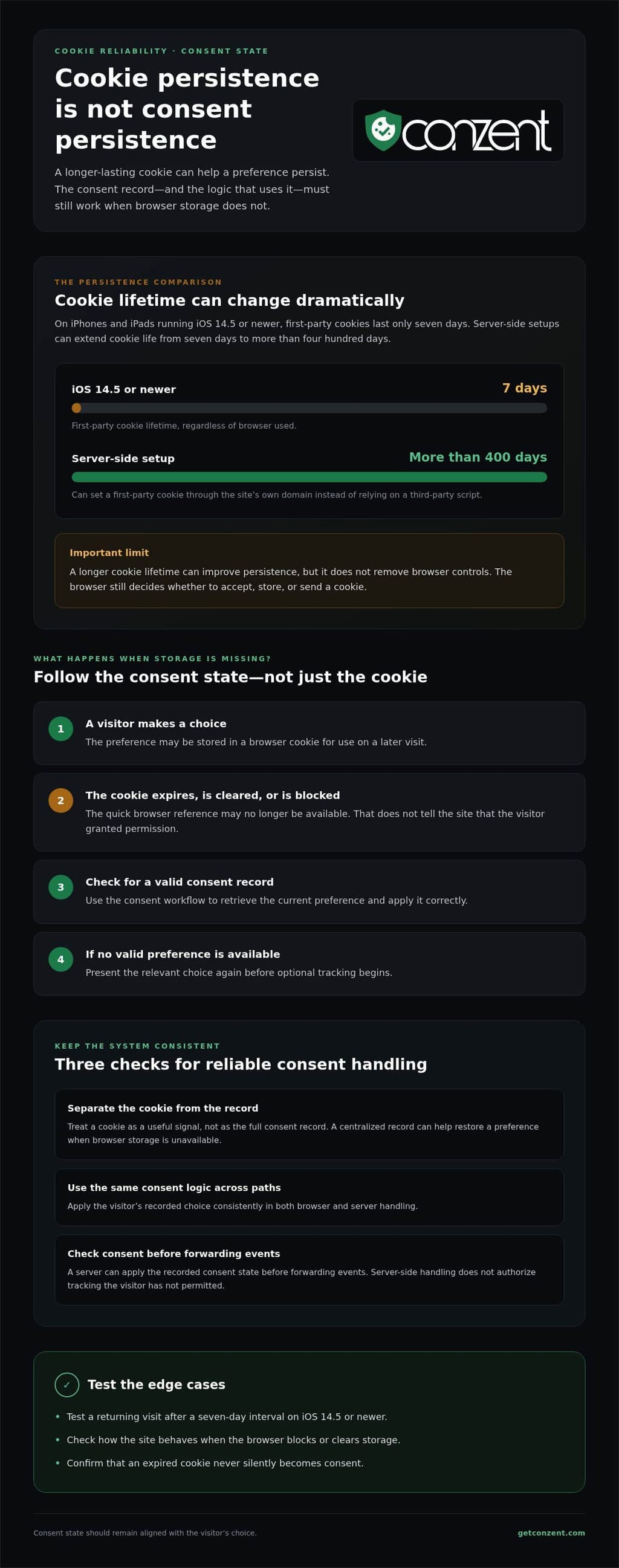
Consent choices often rely on browser storage to persist between visits. That storage has limits. On iPhones and iPads running iOS 14.5 or newer, first-party cookies last for only seven days, regardless of the browser used. A returning visitor may therefore arrive after the original cookie expires. The site then needs a dependable way to retrieve or request the current preference.
Server-side setups can extend cookie life from seven days to more than four hundred days. The server can set a first-party cookie through the site’s own domain instead of relying on a third-party script. That can improve persistence, but it does not remove browser controls. The browser still decides whether to accept, store, or send a cookie under its current privacy rules.
That distinction matters for consent. A cookie is a useful signal, not the full consent record. If the browser clears or blocks it, or stops sending it, the site may lose the quick reference used to personalize the next page. A centralized record can help restore the preference, provided the system can identify the relevant record and apply it correctly. A longer cookie lifetime is not a replacement for a durable record.
For example, a visitor accepts analytics consent on a phone, then returns after the cookie has expired. The server should not assume that an absent cookie means permission. Instead, the application can use its consent workflow to determine whether a valid preference is available. If it cannot retrieve one, the interface can present the relevant choice again before optional tracking begins.
- Separate the browser cookie from the underlying consent record.
- Test returning visits after a seven-day interval on iOS 14.5 or newer.
- Check how the site behaves when a browser blocks or clears storage.
- Confirm that an expired cookie doesn’t silently become consent.
Server-side handling also changes where a tracking script runs. A browser script may fail to load or send an event when privacy settings restrict it. A server can receive permitted data from the site and apply the recorded consent state before forwarding it. This helps teams control which events leave their infrastructure, but it does not authorize tracking that the visitor has not permitted.
Use the same consent logic across browser and server paths. For instance, if a visitor withdraws analytics consent, later server requests must not keep forwarding analytics events based on an older cookie. Test both the stored preference and the resulting requests. If browser limits are prompting a platform decision, consent platform pricing depends on the case and is provided after a quote request; hosting model, implementation scope, and integrations shape it.
Centralized consent records and preference syncing
A centralized consent record gives connected systems one dependable reference for a visitor’s choices. “Centralized” describes the source of truth, not necessarily a single physical database. A distributed platform can still use a defined record and synchronization process. Without that shared reference, the preference center, server, and analytics tool may each hold different states.
For example, a visitor allows functional cookies but rejects analytics. The record should preserve those choices separately, rather than compressing them into a broad “accepted” flag. A useful record identifies the relevant purposes, the choice made, and when it changed. Teams can also retain the interface or policy version associated with that choice when their implementation needs the context.
Preference syncing carries updates from the record to the systems that use them. When a visitor changes a setting, the consent service can publish an update for the website server and connected tools. Each receiving system then applies the new state to its own behavior. The goal is consistency, not copying every personal detail into every platform.
Ordering matters. Imagine a visitor first allows analytics, then withdraws that choice. A delayed message containing the earlier state could arrive after the withdrawal. Systems need a way to identify the current update, such as comparing change timestamps or version identifiers. They should also handle repeated messages without applying the same change twice.
- Keep distinct purposes as distinct choices in the consent record.
- Send preference changes to each system that uses those choices.
- Use update ordering to prevent stale states from replacing newer ones.
- Reconcile stored preferences with connected systems after synchronization errors.
Server-rendered pages can read the applicable consent state before generating a response. This allows the server to select interface details and apply the right preference context from the start. If a visitor changes a choice while a page remains open, the browser interface and central record must also converge on the new state. Otherwise, the page may show one preference while later requests use another.
Identity needs careful boundaries. A consent record tied to a browser should not automatically become a record for every device used by the same person. The system needs a valid way to associate records before syncing across devices. Without that link, keep preferences separate. A familiar email address, shared device, or network connection alone does not prove that two sessions belong to one visitor.
Finally, define what happens when a receiving system cannot process an update. It might queue the change, retry delivery, or report a synchronization failure for review. A practical test is to change one preference, inspect the central record, and compare the resulting state in each connected system. This trace reveals where an update stopped and whether any system continued using an older choice.
How client-side and server-side rendering assemble consent interfaces
Server-side rendering sends page HTML from the server; client-side rendering builds interface elements in the browser. The consent banner’s timing and initial state depend on where each step happens.
Consent Handling During Hydration
Hydration is the browser process that attaches interactive behavior to server-rendered HTML. With consent management, the server sends the initial interface, then browser code makes its controls interactive. Visitors should see a usable starting point before scripts finish running. For example, a rendered preference button should not appear active while its event handler is still missing.
During hydration, the client code must preserve the server’s consent state. If the server rendered a saved choice, the browser should initialize from that same value rather than briefly showing a default banner. Test this by loading a page with a known preference and watching whether the interface changes during startup.
Preventing Consent Banner Flicker
A consent banner flickers when the page first shows one state, then replaces it with another. A CMP can reduce flicker by rendering the correct initial banner state on the server, before the browser runs its scripts. Visitors should not see a banner flash when an existing preference already determines the interface.
For example, the server can read a consent value from the request and render the banner accordingly. If no usable choice is available, it can render the consent prompt immediately. Avoid hiding the banner until JavaScript loads: a delayed script can leave visitors waiting without visible controls. Compare the first server response with the hydrated page to find state changes.
Passing Consent State to the Client
The server can store or retrieve consent state, then include only the necessary value in the rendered page. The browser uses that value to initialize controls during hydration. This handoff matters because separate server and browser defaults can produce conflicting interfaces. For example, pass a clear analytics consent status, not private credentials or an unrestricted record.
Keep the handoff consistent with the API permissions described earlier. The server should validate the source, limit the data exposed to browser code, and avoid embedding sensitive tokens in page HTML. The client can then update the displayed controls when a visitor changes a preference.
Server-side rendering shifts more work to the server and can reduce the client-side execution needed before the consent interface appears. Client-side rendering relies on browser code to build the interface. A hybrid design can render the banner on the server and hydrate its controls in the browser, combining early display with interactive settings.
Measure the consent interface itself, not just the page shell. Largest Contentful Paint measures how quickly a site loads. Also measure when the banner or preference center appears, whether its layout shifts, and when visitors can use its controls. Test both a saved preference and a first visit, since each can produce a different initial state.
Server-side rendering for consent management
Server-side rendering can make consent decisions part of the page response rather than a later browser step. Its benefits depend on how the implementation handles legal requirements, scripts, personal data, and page performance.
Privacy Law Compliance
Server-side consent management applies recorded choices before the server or connected tools act on them. That matters because rendering architecture alone doesn’t establish compliance with GDPR, ePrivacy, or US state privacy laws. According to the European Union and California Legislature, GDPR and CCPA are laws requiring businesses to respect user consent. The system must translate applicable requirements into clear choices and consistent technical behavior.
Blocking Tracking Before Consent
Server-side blocking checks consent state before adding optional tracking scripts or forwarding related requests. If a visitor has not made a usable choice, the server can omit those actions from its response. For example, separate analytics and advertising controls let the server release only events covered by the visitor’s choice. Test the rendered HTML and outgoing requests, not just the visible banner.
Privacy Risks of Server-Rendered Consent
Server-rendered consent creates privacy risks if a response exposes personal state or reaches the wrong visitor. A shared cache, for example, could serve one person’s personalized page to another. Keep consent data out of public cache keys, limit the information embedded in HTML, and protect server credentials. Review logs, too: request records should not retain more preference data than the system needs.
Performance and SEO Effects
Server rendering can reduce client-side execution before the interface appears, but added server work can also delay a response. Website conversion rates drop by an average of 4.42% with each additional second of load time during the first five seconds. Google updated its search ranking algorithms to consider Core Web Vitals in 2021. Measure Largest Contentful Paint, banner display, layout stability, and control interaction time.
A useful comparison tests a first visit and a returning visit with saved consent. Record the server response, visible banner state, and requests made before and after interaction. Then compare the results across mobile and desktop browsers. This reveals whether server-side rendering speeds up the interface, delays content, or applies a choice inconsistently. It also helps teams distinguish rendering problems from slow third-party scripts.
Server-side rendering consent management works best when consent logic, page rendering, and tracking controls follow the same state. Map those dependencies before implementation, then explore consent platform options for your setup.
ts. Companies using server-side solutions report capturing 25% more events than with client-side setups. Companies can save up to 200 milliseconds by moving tracking to the server. Firms moving tracking server-side have cut their script count from fifteen to three scripts.
Conzent: Managed Cloud Consent Platform
Conzent offers a Managed Cloud Consent Platform for teams bringing consent choices, interfaces, and preference handling together. It also offers Self-Hosted Open Consent Infrastructure for organizations that want to host their consent infrastructure themselves. Choose the model that fits your control and deployment needs.
Teams refining their consent experience can use Consent A/B Testing to compare banner approaches and Revenue Impact Analytics to assess how consent choices relate to revenue. These tools support practical consent-management work, but they do not replace careful authorization, privacy, or rendering decisions in your architecture.
If you’re planning or improving a consent setup, visit Conzent to explore the next step.
Make your next consent decision deliberate
Choose a consent architecture by mapping which systems must apply visitor choices and how your team wants to manage the infrastructure. This gives you a practical basis for assessing server-side rendering consent management against your technical requirements.
Conzent offers a Managed Cloud Consent Platform and Self-Hosted Open Consent Infrastructure. Consent A/B Testing lets teams compare banner approaches. Consider these options alongside your hosting and consent-management needs.
To discuss which approach fits your setup, contact Conzent about consent management.
Frequently Asked Questions
What is server-side rendering in consent management?
It means the web server produces a page’s initial consent interface before browser-side code hydrates it. The response can reflect a preference available to that request. For example, a returning visitor may see settings consistent with a saved choice, while a new visitor sees the consent prompt. The key implementation detail is request-specific state: shared page caching must not expose one visitor’s personalized consent interface to another.
Which consent management platforms support server-side rendering?
Conzent supports server-rendered implementations through its consent platform and official SDK for React and Next.js. Its platform also supports IAB TCF v2.4, including v2.3 and v2.2. For a Nuxt implementation, the key requirement is an integration that can provide consent state during server rendering and initialize browser controls from that same state. A framework name alone doesn’t establish that integration capability.
How do you implement consent management with SSR frameworks like Next.js or Nuxt?
In Next.js or Nuxt, read the request’s consent preference in the server-rendering layer, then render the appropriate initial interface. Pass only the state needed for browser hydration, never server credentials. After a visitor changes a setting, update the consent record and use the new state for subsequent requests. Keep personalized responses out of shared caches, and test both first visits and returning sessions to catch mismatched states.