
TYPO3 Cookie Consent: A Practical Guide to Choosing and Implementing a CMP in 2026

What if the cookie banner is the easiest part of your TYPO3 consent setup? A banner can appear while analytics, advertising tags, or third-party scripts still behave differently from a visitor’s choice. That’s why typo3 cookie consent needs to be checked beyond what visitors can see.
Choosing between a TYPO3 extension and an external consent management platform (CMP) can feel like a technical decision with no clear starting point. The right fit depends on your TYPO3 version, existing integrations, and who will maintain the setup. You’ll want to know what happens when visitors accept, reject, or change their preferences, and how your team will verify that behavior.
This guide covers what to check before choosing a CMP, the implementation work to plan, and how to test whether consent choices reach the relevant cookies, scripts, and tags. It also explains how to keep consent records auditable and give visitors clear, usable choices. The goal isn’t just to install a banner. It’s to build a setup your team can understand, test, and maintain.
Key Takeaways
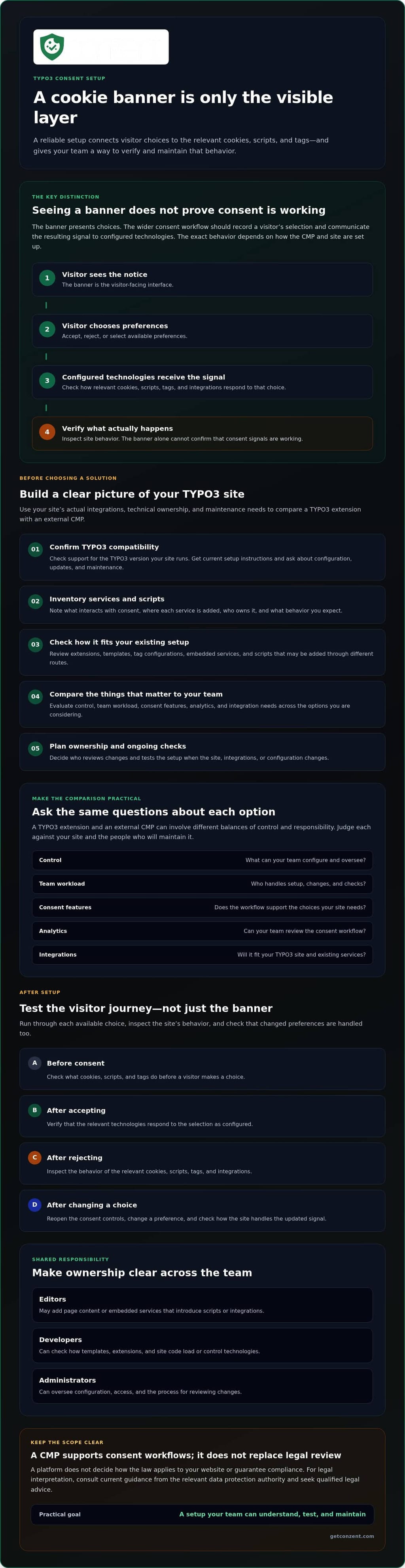
- A TYPO3 cookie consent banner is only the visible part of the setup. Check whether consent choices also affect the relevant cookies, scripts, and tags.
- Compare a TYPO3 extension with an external CMP by control, team workload, consent features, analytics, and integration needs.
- Before choosing a solution, confirm that it supports your TYPO3 version and that its setup instructions match your site and technical ownership.
- Test the visitor experience before and after consent, including what happens when someone changes their choice.
- Choose a setup your team can maintain, and treat the CMP as support for consent workflows, not a replacement for legal review or sound configuration.
What TYPO3 Cookie Consent Needs to Do on Your Website
A cookie consent management platform (CMP) presents visitors with consent choices and records the signals associated with those choices. For typo3 cookie consent to work as intended, those signals also need to connect to the relevant cookies, scripts, and integrations on the site. A banner appearing on screen does not prove that those technologies respond correctly.
An HTTP cookie is a small piece of data a website can store in a visitor’s browser. Cookies can support site functions or be used in tracking, depending on how the site and its services are configured. A CMP helps manage choices about consent-dependent technologies, but it doesn’t decide how the law applies to your website or guarantee compliance. For legal interpretation, consult current guidance from the relevant data protection authority and seek qualified legal advice.
How a consent banner and a CMP differ
The banner is the visitor-facing interface. A CMP can manage the wider workflow: presenting choices, recording a visitor’s selection, and communicating the resulting signal to configured technologies. The exact behavior depends on how the CMP and site are set up.
Consider the full visitor journey: someone sees the notice, chooses their preferences, and continues browsing. The relevant scripts and integrations should then respond to those preferences as configured. If the visitor later reopens the consent controls and changes a choice, the site should handle that updated signal too. To check this, test each available choice and inspect the site’s behavior. The banner alone can’t confirm whether the signals are working.
Why TYPO3 site teams need to assess the whole setup
Consent touches several parts of a TYPO3 website, so responsibility shouldn’t sit with one role by default:
- Editors may add page content or embedded services that introduce new scripts or integrations.
- Developers can check how templates, extensions, and site code load or control those technologies.
- Administrators can oversee configuration, access, and the process for reviewing changes.
These parts can affect where scripts load and how consent signals reach them. A tag added through one route may need different attention from a service embedded in page content. Map the site’s actual setup before choosing an implementation. Include the tools that add tags, embeds, and scripts, then assign clear ownership for updates and checks.
Before relying on an integration, confirm its current availability, supported TYPO3 versions, and setup instructions with the provider. Review the TYPO3 integration details as a starting point, then verify compatibility and configuration requirements for your site.
What to Check Before Adding Cookie Consent to TYPO3
The right typo3 cookie consent setup depends on more than the banner. Start with your site’s needs, the people responsible for technical changes, the services that need consent signals, and the work required to keep the setup current. A small site with few integrations may have different needs from one with multiple templates, extensions, and tag configurations.
Make an inventory of services and scripts that interact with consent. For each one, note where it is added, who owns it, and what consent behavior you expect. Identify who will review the inventory when the site changes. This gives you a practical basis for comparing options and asking providers specific questions. A CMP can support consent workflows, but it can’t replace legal interpretation. For legal context, consult the GDPR and cookie consent guidance and the official General Data Protection Regulation (GDPR) text. Neither a guide nor a platform guarantees that a particular setup meets your obligations.
Questions to ask about TYPO3 compatibility
Before installing or migrating, confirm that the integration supports the TYPO3 version your site runs. Ask the provider for current setup instructions and details about configuration, updates, and ongoing maintenance. Don’t rely on an old tutorial or assume that compatibility with one TYPO3 version means compatibility with another.
Check how the integration fits with your existing extensions, templates, and tag setup. These can affect where scripts load and how consent signals reach them. Ask who on your team will review changes and test the setup after updates. Confirm the technical details directly with the provider, including how to handle any scripts that are not managed through the same route.
Managed CMP or self-hosted consent infrastructure?
Managed and self-hosted operation offer different balances of responsibility and control. A managed cloud consent platform may reduce the infrastructure your team operates directly, while a self-hosted option puts more responsibility on your organization to operate its hosting environment. Confirm the provider’s specific division of work rather than assuming who handles updates, monitoring, or analytics.
Match the operating model to your team’s developer capacity, infrastructure policies, and desired level of operational control. Ask what maintenance each option requires and whether its integrations cover your needs. Conzent offers both a managed cloud platform and a self-hosted option, so compare them against your actual capacity and requirements. For current plan information, review the available options.
Compare TYPO3 Cookie Consent Options by Control, Workload, and Features
There’s no single best route for typo3 cookie consent. Compare the operating model and verify the details that matter to your site. Use the table as a decision framework, not as a claim that every extension or CMP includes the same features.
| Option | Control | Operational workload | Consent features and analytics | Integration verification |
|---|---|---|---|---|
| TYPO3 extension | May keep configuration closer to the CMS. Confirm what the extension lets your team control. | Check who maintains it, handles updates, and answers support questions. | Verify which consent choices, records, and reporting features are included. | Confirm TYPO3 version support and test interactions with your templates, extensions, and tags. |
| Managed CMP | Consent configuration may be managed through a provider’s platform. Check which settings remain under your control. | Ask the provider and your team to clarify responsibility for hosting, updates, and monitoring. | Confirm available consent features and analytics, and whether they meet your needs. | Verify the TYPO3 integration’s current availability, compatibility, and setup requirements. |
| Self-hosted CMP | Can suit teams that want to operate the infrastructure themselves. Confirm the level of control offered. | Establish who owns hosting, updates, monitoring, and ongoing maintenance. | Check which consent functions and analytics are included in the self-hosted option. | Verify configuration requirements and test how the setup connects with the TYPO3 site. |
When a TYPO3 extension may suit the project
An extension-led approach may appeal to a team that prefers CMS-centered configuration. But don’t choose by the word “extension” alone. Check whether the option is maintained, compatible with your TYPO3 version, documented clearly, and backed by a support channel your team can use. Then verify how it handles the consent workflows and integrations your site needs. For example, test a preference change on a page with an embedded service as well as on a page without one.
When a managed or self-hosted CMP may fit better
Choose based on operational capacity, not labels. A managed service may fit teams that prefer provider-hosted operation; self-hosting may suit teams with infrastructure policies or a need for direct operational control. In either case, confirm who handles updates and monitoring before committing. Conzent lists both managed and self-hosted options, along with customizable banners, consent A/B testing, revenue impact analytics, IAB TCF v2.3, and Google Consent Mode v2. Verify which capabilities apply to your intended setup. For operational considerations, see the self-hosted cookie consent manager guide.
Use this comparison to narrow your requirements, then compare Conzent plans against the operating model and capabilities your team needs.
How to Test Cookie Consent on a TYPO3 Site After Setup
A working banner is only the start. Test the visitor journey and check whether connected tags and integrations respond to consent choices as configured. This gives your team evidence to review instead of relying on appearance alone. For typo3 cookie consent, keep a short record of the pages tested, choices made, and behavior observed. Repeat the checks after changes to templates, extensions, tags, or CMP settings.
Check the visitor-facing consent journey
Run the checks in a clean browser session, then repeat them on representative pages, such as a landing page and a page with embedded content. Look for clear notice text, usable controls, and a way to revisit preferences. Follow this sequence:
- 1. Before choosing: Open the page and note how the banner appears. Use browser developer tools to inspect relevant page activity before making a selection.
- 2. After rejecting or limiting consent: Make that choice, then check whether the site and its configured technologies behave as intended. Record what changes; don’t infer success just because the banner closes.
- 3. After accepting: Choose the available acceptance option and inspect the same page activity again. Compare the results with your consent configuration and the relevant technology documentation.
- 4. After changing a choice: Reopen the preference controls, update the selection, and check whether the new state is reflected on the page and in connected behavior.
Validate connected tags and standards
Use suitable browser developer tools to inspect network requests, tag activity, and any consent signals exposed by your setup. Compare what you observe with the CMP, tag, and integration documentation. Expected behavior depends on configuration, so don’t assume that every tag must simply disappear after a visitor declines. Check the actual requirements for each service you’ve configured.
If your site uses Google Consent Mode v2 or IAB TCF v2.3, test those integrations specifically. Follow their current technical documentation and confirm that the signals your CMP sends match the site’s configuration. For Google, use the Google Consent Mode v2 implementation guide as a reference, then verify your implementation against current Google documentation.
If results differ between tests, browser settings, cached assets, or configuration differences are possible factors to investigate, not confirmed causes. Repeat the test in a clean session and compare the same page, choice, and browser conditions. If your team is evaluating a CMP alongside this testing work, compare the available options.
Choose a TYPO3 Consent Setup That Your Team Can Maintain
The best typo3 cookie consent setup is one your team can operate consistently as the site changes. Match the choice to your TYPO3 site’s complexity, available technical capacity, and required integrations. A lightweight CMS-centered approach may fit a simpler setup. A site with several tags, consent standards, and ongoing analysis needs may call for a broader CMP. Either way, plan for ownership after launch, not just the initial setup.
A CMP can support consent workflows and communicate visitor choices to configured technologies. It doesn’t replace legal review, careful configuration, or regular checks. Assign clear owners for updates, consent testing, and reviewing changes to templates, extensions, tags, or other parts of the site stack. That way, a new integration is less likely to go unnoticed in the consent process.
A practical decision checklist for TYPO3 teams
Before committing, work through these questions with the people responsible for the site:
- Compatibility: Does the provider confirm support for your TYPO3 version and document the current setup method?
- Integrations: Can the solution handle the consent signals your configured tags and services need? Who will test them?
- Ownership: Who manages configuration, updates, ongoing checks, and contact with the provider?
- Capabilities: Do you need managed analytics or consent A/B testing, or is self-hosting more important to your infrastructure preferences?
- Open questions: Record unresolved technical points for the provider and legal questions for a qualified adviser.
Don’t select features just because they sound useful in general. Choose the ones your site and team can support, review, and use.
Next steps for evaluating Conzent
Conzent lists both a managed cloud consent platform and a self-hosted option, alongside consent A/B testing and revenue impact analytics. Review the TYPO3 integration information, then confirm current version compatibility, configuration requirements, and integration behavior with the provider before adopting it. Compare the managed and self-hosted models against your team’s operating capacity and infrastructure policies.
Once you’ve documented your requirements, Explore Conzent pricing to review the available options. Make the decision with your technical owner and, where needed, a qualified legal adviser. Clear ownership and repeatable checks matter as much as the platform you choose.
Make Your TYPO3 Consent Setup Ready to Maintain
A sound typo3 cookie consent setup does more than display a banner. It connects visitor choices to the site’s configured technologies, gets tested after setup, and has clear ownership when the site changes. Choose an approach that fits your TYPO3 environment, integration needs, and team capacity. Then confirm version compatibility and setup details with the provider.
Conzent offers managed cloud and self-hosted options. Its listed capabilities include customizable banners, consent A/B testing, revenue impact analytics, IAB TCF v2.3, and Google Consent Mode v2. Check which options fit your requirements, and remember that a CMP supports consent workflows but doesn’t replace legal review or careful configuration.
Ready to compare the available options? Compare Conzent pricing and assess the plans against your site’s needs. With clear ownership and regular testing, your team can build a consent setup it understands and can maintain.
Frequently Asked Questions
How do I add cookie consent to a TYPO3 website?
Start by identifying the cookies, scripts, and tags on your site, then choose a TYPO3 extension or CMP that fits your needs. Confirm compatibility with your TYPO3 version and follow the provider’s current setup instructions. Configure visitor choices and connect them to the relevant technologies. Before launch, test the banner, each available choice, and preference changes. Then check that the site behaves as configured.
Is there a cookie consent extension for TYPO3?
Yes, TYPO3 has consent-related extensions, but availability and support can change. Check the TYPO3 Extension Repository and the extension provider’s documentation for current maintenance status, supported TYPO3 versions, configuration guidance, and support options. Also confirm that the extension can handle your site’s consent needs and integrations. Don’t assume an extension works with your setup just because it appears in a listing.
Can I use a managed CMP with TYPO3?
Yes, if the CMP provides a TYPO3 integration that supports your site’s version and configuration. Confirm the current setup method and how the CMP connects visitor choices to your site’s scripts and tags. Conzent provides a TYPO3 integration page, but verify current compatibility and implementation details with the provider before adopting it. A managed service doesn’t remove the need to test your own configuration.
Does a cookie banner make a TYPO3 website GDPR compliant?
No. A banner alone doesn’t establish that consent-dependent technologies respond correctly, and using a CMP can’t guarantee GDPR compliance. Your setup also needs appropriate configuration and review of how the site handles visitor choices. Consult current authoritative guidance and a qualified legal adviser for legal interpretation. A CMP can support consent workflows, but it doesn’t replace legal review or sound technical implementation.
How can I test cookie consent on my TYPO3 website?
Test the site in a clean browser session before and after making a choice. Review the banner and controls on representative pages, then try rejecting, accepting, and changing preferences. Use browser developer tools to inspect relevant network requests and tag activity. Compare what you observe with your configuration and the current documentation for each integration. Record the results so your team can repeat the checks after site changes.
Should I choose a TYPO3 extension or a hosted cookie consent platform?
Choose based on your site’s complexity, technical ownership, and integration needs. An extension may suit a team that wants CMS-centered configuration, while a hosted platform may fit teams that prefer a managed service. Compare ongoing workload, control, features, and provider support. For typo3 cookie consent, verify version compatibility and test the integration either way. The right option is one your team can maintain.
Does TYPO3 cookie consent work with Google Consent Mode v2?
It can, if your CMP supports Google Consent Mode v2 and the integration is configured to send the required consent signals. Conzent lists Google Consent Mode v2 as an integration, but your team should confirm current setup details and test the signals against Google’s documentation. Check how your site’s tags respond to visitor choices. Don’t assume that displaying a banner means the integration works as intended.