Non-Intrusive Cookie Banners: Balancing Compliance and UX in 2026
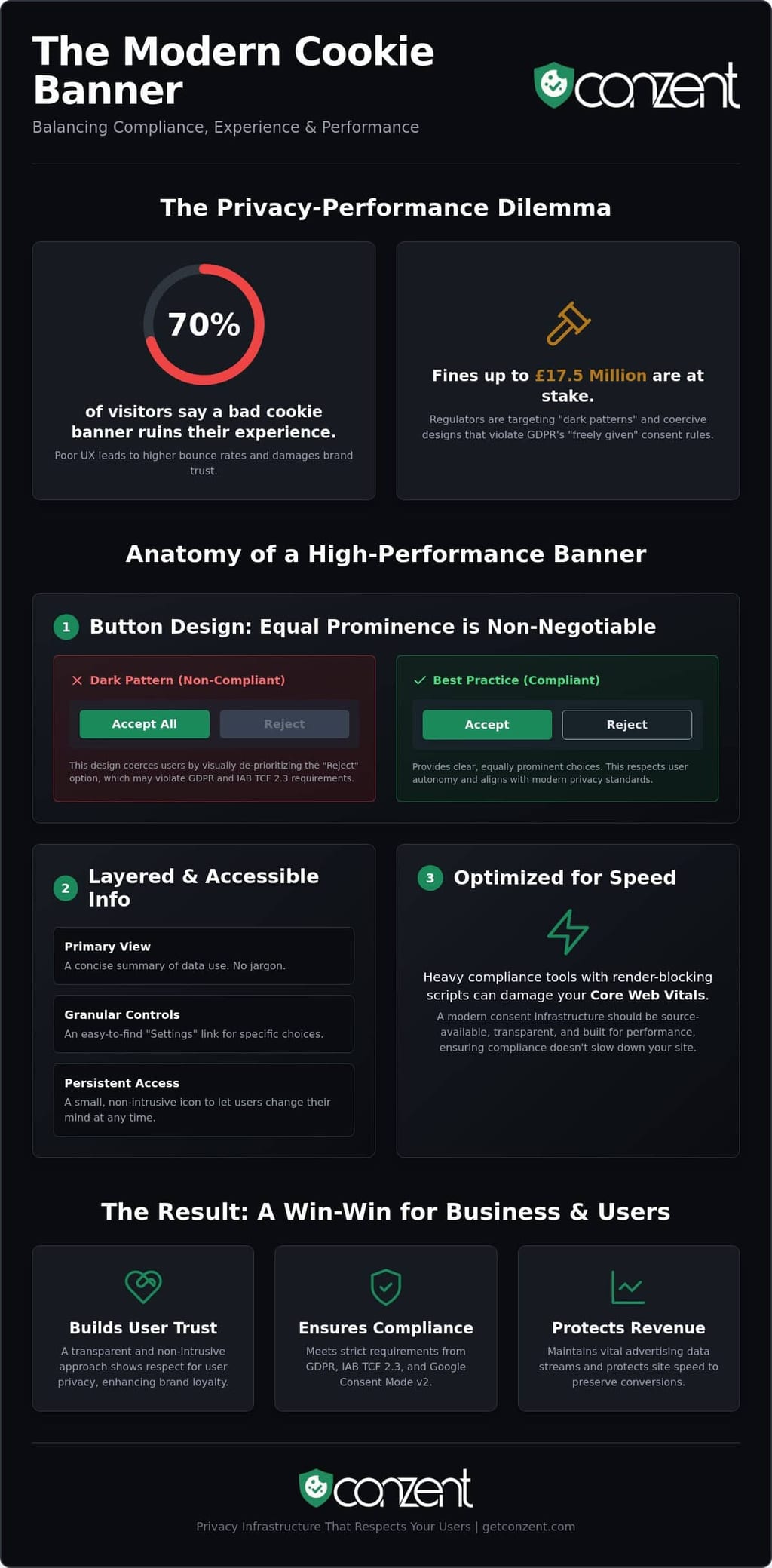
Seventy percent of your visitors believe a poorly designed cookie banner ruins their experience on your site. For many digital brands, implementing non-intrusive cookie banners feels like an impossible task when faced with the £17.5 million fines introduced by the UK Data Act 2025. You're likely stuck between legal fear and the reality of rising bounce rates. It's an exhausting trade-off that often results in heavy technical debt and frustrated users.
It doesn't have to be this way. You can satisfy strict GDPR and ePrivacy standards without destroying your ad revenue or website speed. With Google Consent Mode v2 now serving as the exclusive signal for Google Ads data since June 2026, getting your consent architecture right is no longer optional. It's a fundamental performance requirement for any serious business.
In this article, we'll show you how to balance legal mandates with high-performance design. We'll explore the technical shifts in IAB TCF 2.3, strategies for reducing script lag, and how to use revenue impact analytics to prove that ethical privacy is actually good for business.
Key Takeaways
- Learn how to implement non-intrusive cookie banners that respect the user journey while eliminating the deceptive design patterns that trigger regulatory scrutiny.
- Discover the specific UI elements, such as equal button prominence, that satisfy IAB TCF 2.3 requirements without sacrificing your site's opt-in rates.
- Identify the technical risks of render-blocking consent scripts and how to protect your Core Web Vitals from the performance lag caused by heavy compliance tools.
- Understand the relationship between Google Consent Mode v2 and your advertising data to maintain revenue streams in a privacy-first digital ecosystem.
- Explore why moving from a generic third-party plugin to a source-available consent infrastructure provides the speed and transparency modern developers demand.
What is a Non-Intrusive Cookie Banner?
A non-intrusive cookie banner is a design that respects the user journey without sacrificing legal integrity. It is not a secondary thought or a generic popup. It is a deliberate piece of interface that provides clear choices while keeping the main content accessible. In 2026, the most effective non-intrusive cookie banners function as a persistent utility rather than a disruptive gatekeeper. They exist to serve the user, not to trap them.
The goal is transparency. You aren't hiding your data practices; you're presenting them in a way that doesn't feel like an interrogation. This approach avoids "dark patterns" like hidden reject buttons or confusing toggle switches. It treats your visitor as an equal partner in the digital exchange. It's about providing a path to content that is both fast and ethical.
The Problem with "Consent Fatigue"
Users are exhausted by the constant demand for their attention. Research shows that over 60% of users accept cookies without reading the notice. They aren't making an informed choice; they're just clearing an obstacle. This is consent fatigue. When you use intrusive popups, you risk driving your bounce rate higher as users choose to leave rather than engage with your interface. The industry has moved beyond notice-only banners. To understand what's at stake, it helps to know how an HTTP cookie works and why tracking requires this level of authorization. Consent should be a conversation, not a hurdle.
Compliance is Not an Excuse for Poor UX
Many site owners believe they must choose between being compliant and being user-friendly. This is a false choice. Under GDPR, consent must be "freely given." If your banner is so aggressive that it coerces a user into clicking "Accept" just to view your page, it may actually be non-compliant. Regulators are increasingly focused on design ethics. Seventy percent of users report that badly designed cookie banners negatively impact their browsing experience. You don't need to block the screen to be legal. For a deeper look at your current setup, you can use The Ultimate Website Cookie Compliance Audit Checklist (2026 Edition). True compliance happens when privacy and performance align.
The Anatomy of a High-Performance Consent Banner
High-performance consent is a matter of technical precision and ethical design. It moves away from the "all or nothing" approach that defines legacy systems. Instead, it offers a tiered experience. A well-built banner uses clear, declarative language. It avoids the dense legal jargon that confuses users and obscures your actual intent. In 2026, transparency is your most valuable asset. It's the difference between a user who trusts your brand and one who bounces immediately.
Button design is where many sites fail. To meet the ICO guidance on cookies, you must provide equal prominence for "Accept" and "Reject" options. Highlighting the accept button while graying out the reject button is a dark pattern. It coerces the user rather than informing them. High-quality non-intrusive cookie banners present these choices side-by-side with identical styling. This ensures that consent is truly freely given, which is a core pillar of GDPR compliance.
Effective banners also utilize layered information architecture. You don't need to explain your entire privacy policy in the first view. Instead, follow this structure:
- Primary View: A concise summary of what you track and why.
- Granular Control: A "Settings" or "Manage" link for users who want to opt into specific categories like analytics or marketing.
- Persistent Access: A small, non-intrusive icon that remains visible after the banner is dismissed. This allows users to change their minds at any time without hunting through your footer.
Visibility and Contrast Without Annoyance
Designers often use jarring "emergency" reds or yellows to grab attention. This creates unnecessary anxiety and feels like a system error. Use brand-aligned colors that feel like a native part of your interface. Your privacy notice should be readable but subtle. Focus on typography. Clear, sans-serif fonts at an appropriate weight ensure the text is legible without shouting. You can see how this looks in practice by exploring Conzent Cookie Banner Features. If you're ready to upgrade your infrastructure, you can check our flexible pricing plans to find a fit for your traffic levels.
Mobile-First Consent Design
Mobile users face the most intrusive experiences. A banner that takes up 100% of the viewport is a major UX failure. It blocks the content and frustrates the user. Design for the "thumb zone" at the bottom of the screen. Ensure that "Close" or "Settings" buttons are large enough to tap without error. In 2026, mobile compliance means being visible without being an obstacle. Keep the banner compact. Respect the limited real estate of a smartphone screen while maintaining full legal transparency.
3 Examples of Non-Intrusive Cookie Banners in 2026
Designing non-intrusive cookie banners is a practical challenge that requires you to balance site architecture with user intent. In 2026, the "one size fits all" approach is dead. You need a layout that matches your specific conversion goals and content type. Theory is useful, but seeing how these designs function in the real world helps demystify the implementation process. It's about finding the right home for your privacy notice so it feels like a feature, not a bug.
Example 1: The Floating Footer
The Floating Bottom Bar is the workhorse of modern e-commerce. It anchors to the bottom of the viewport, keeping your product images and primary navigation menus completely visible. This layout prioritizes the "Hero" section of your landing page, which is critical for maintaining initial engagement and reducing bounce rates. While it stays out of the way, there is a risk that users might overlook it. This could delay your data collection for analytics. You should use Cookie Consent A/B Testing to determine if a bottom bar or a centered modal drives higher opt-in rates for your specific audience segments.
Example 2: The Contextual Sidebar
The Side-Tab Widget works best for news portals and content-heavy blogs. It feels like a natural extension of the site’s sidebars rather than an intrusive overlay. However, you must be careful with your "z-index" settings. If your consent widget overlaps with your live chat support tool, you create a cluttered and frustrating experience. A well-engineered platform ensures these elements stack correctly. This prevents a "widget war" on your homepage where different support tools fight for the same pixel space. It's a cleaner approach that respects the user's focus on the text.
Example 3: The Integrated Inline Banner
The Integrated Inline Banner is the gold standard for high-end digital agencies and minimalist brands. Instead of floating over content, it sits directly within the page layout, often appearing just below the header or above the footer. It causes zero disruption to the user flow. This design aligns with recent research on cookie-permission designs, which suggests that integrated notices feel more trustworthy and less like a technical glitch. While it requires custom CSS integration to look native, the resulting user experience is seamless, professional, and highly ethical.
The Minimalist Modal is another option. It uses a centered box with subtle shadows to ask for permission without blocking the entire screen. It signals to the user that they haven't been locked out of the site while still demanding a clear choice. For high-traffic SaaS platforms, a minimalist centered modal often provides the best balance of visibility and conversion without breaking the high-speed onboarding flow.
Optimising for Speed: Why Your CMP Shouldn’t Slow You Down
Page speed is a ranking factor. It's also a trust factor. If your site stutters while loading a consent notice, you've already lost the user. Heavy third-party scripts are the primary culprits behind poor Core Web Vitals performance. Specifically, they often sabotage Largest Contentful Paint (LCP) and Total Blocking Time (TBT). Verified research shows that unoptimized consent scripts can delay LCP by up to 500ms. In 2026, this is an unacceptable SEO risk that directly impacts your bottom line.
Truly non-intrusive cookie banners are lightweight by design. They don't just look subtle; they act subtle in the browser's execution thread. Bloated legacy Consent Management Platforms (CMPs) often force the browser to wait while they fetch multiple external dependencies. This is render-blocking behavior. It's a relic of an inefficient era. Modern privacy infrastructure uses source-available, streamlined code to ensure that compliance doesn't come at the cost of your search engine visibility or user retention.
Self-Hosting for Maximum Performance
External requests create latency. Every DNS lookup and handshake with a third-party server adds milliseconds to your load time. By choosing a Self-Hosted Cookie Consent Manager, you eliminate these bottlenecks. You serve the compliance logic from your own infrastructure alongside your other site assets. This gives your developers complete control over the execution order. Our Open Consent Infrastructure (OCI) is built for teams who refuse to compromise on speed. It treats privacy as a core technical requirement rather than a slow-loading add-on.
Google Consent Mode v2 and Speed
Performance issues often arise during the implementation of Google Consent Mode v2. Since June 2026, GCM v2 has been the exclusive signal for Google Ads data. This makes it a mandatory integration for anyone running paid campaigns. However, many "Advanced" implementation modes add significant script weight that slows down the browser. Conzent handles Google Consent Mode v2 Compliance by optimizing how these signals are sent. We move the heavy lifting away from the client side where possible, ensuring your analytics are accurate without the performance penalty.
The future of the web is fast and private. You shouldn't have to choose between a high-performance site and a legally compliant one. If you're tired of bloated scripts dragging down your Lighthouse scores, it's time to switch to a platform that respects your server's resources. You can view our performance-focused pricing tiers to see how we help you scale without the lag.
Conzent: Privacy Infrastructure That Respects Your Users
Privacy is not a feature you bolt onto a website. It is a fundamental infrastructure requirement. At Conzent, we believe that compliance should be invisible to the user but indestructible to the regulator. We've built a platform that combines the rigorous technical standards of IAB TCF 2.3 certification with the elegance of non-intrusive cookie banners. You shouldn't have to choose between a clean UI and the ability to monetize your traffic. We provide the tools to do both without compromise.
We offer two distinct paths to compliance. Our Managed Cloud platform provides immediate ease of use for teams that want to get up and running quickly. For developers who demand total sovereignty over their data and performance, our Self-Hosted Open Consent Infrastructure (OCI) is the principled choice. It eliminates third-party dependencies and keeps your consent logic within your own stack. This isn't just about speed; it's about owning your digital environment and protecting your users' rights. Our commitment to non-intrusive cookie banners ensures that your site remains a place of value, not a series of obstacles.
Measuring the Real Impact of Consent
A high opt-in rate is a vanity metric if it doesn't translate to actual earnings. Some intrusive designs might trick users into consenting, but they often lead to lower-quality data or hidden resentment. We use Revenue Impact Analytics to show you exactly how your banner design affects your bottom line. By using our Consent A/B Testing, you can find the specific balance between non-intrusiveness and effective tracking. This data-driven approach allows you to make informed decisions that respect both your audience and your revenue goals. You can learn more about this in our guide on Maintaining Ad Revenue Without Third-Party Cookies: The 2026 Strategy.
The Future of Ethical Consent
The industry is moving away from "black box" CMPs that hide their logic and slow down your site. Transparency is the only way forward. Our mission is to make compliance accessible and honest for everyone, regardless of their technical resources. We are a community of innovators who believe that digital rights and technical efficiency are not mutually exclusive. We invite you to join this shift toward a more respectful web. It's time to treat privacy as a standard, not a luxury. You can explore Conzent pricing and OCI options to see how we can secure your site's future while keeping your user experience fast and fluid.
Secure Your Digital Future
Compliance in 2026 is no longer about checking a box. It's about respecting the user's right to speed and privacy. We've seen how non-intrusive cookie banners can protect your Core Web Vitals while satisfying the strict demands of IAB TCF 2.3 and Google Consent Mode v2. By choosing transparency over dark patterns, you build lasting trust with your audience. You also insulate your business from the rising penalties of the UK Data Act and GDPR. This isn't just a legal requirement; it's a performance standard.
True sovereignty comes from owning your infrastructure. Conzent offers source-available infrastructure that is IAB TCF 2.3 certified and Google Consent Mode v2 ready. Whether you choose our managed cloud or our self-hosted option, you're investing in a standard that prioritizes people over trackers. Stop treating privacy as a technical burden. It is an opportunity to lead with integrity. You can deploy a non-intrusive, high-performance banner with Conzent today. Let's build a web that works for everyone.
Frequently Asked Questions
Do non-intrusive cookie banners affect my website SEO?
Yes, they improve your SEO by protecting your Core Web Vitals and preventing layout shifts. Heavy, poorly coded scripts can delay your Largest Contentful Paint (LCP) by up to 500ms, which directly hurts your search ranking. A lightweight banner ensures that search engine crawlers and users alike experience a fast, responsive page without the technical debt of legacy compliance tools.
Is a small footer bar compliant under GDPR?
A footer bar is compliant as long as it provides clear information and gives equal prominence to "Accept" and "Reject" buttons. Compliance isn't about the size of the interface; it's about the transparency of the choice. You must ensure the user can make a free, informed decision without being coerced by deceptive design patterns or hidden buttons.
Can I use a "Close" button instead of a "Reject" button?
No, a simple "Close" button is not a valid substitute for an explicit "Reject" option under current GDPR standards. Consent must be an affirmative action. Hiding the ability to refuse cookies behind a small "X" or a "Close" icon is often viewed as a dark pattern that invalidates the consent you collect. You need clear, accessible buttons for both choices.
How does Google Consent Mode v2 work with non-intrusive banners?
The banner acts as the interface that captures user intent and communicates it to Google's tags. Since June 15, 2026, Google Consent Mode v2 has been the exclusive signal for Google Ads data. Your banner must be configured to send these signals immediately, allowing Google to adjust its tracking behavior based on the user's specific privacy preferences without blocking your content.
What is the difference between a cookie popup and a cookie banner?
A popup typically centers itself over the content and interrupts the user journey, while a banner sits at the edge of the viewport to remain less disruptive. Popups often function as "consent walls" that force a choice before the site can be used. Banners are the preferred tool for non-intrusive cookie banners because they prioritize the user's ability to browse while still meeting legal obligations.
How can I reduce the bounce rate caused by my cookie banner?
You can reduce bounce rates by adopting non-intrusive cookie banners that use brand-aligned colors and clear typography. Avoid using "emergency" colors like bright red or yellow, which can trigger anxiety and cause users to leave. When the notice feels like a native part of your site's architecture rather than a system error, users are more likely to stay and engage.
Are free cookie banners safe to use for commercial websites?
Free banners often lack the technical depth required for commercial safety, such as IAB TCF 2.3 certification or support for Google Consent Mode v2. They can also introduce significant script lag that slows down your site. For a business, the risk of a GDPR fine or lost ad revenue far outweighs the cost of a principled, high-performance consent infrastructure.
Does IAB TCF 2.3 require a specific banner design?
IAB TCF 2.3 doesn't mandate a single layout, but it does require specific technical segments to be present, such as the 'disclosedVendors' segment for all strings created after February 28, 2026. Your design must allow users to access granular settings and see exactly which vendors are processing their data. A layered approach is the most effective way to meet these requirements without overwhelming your visitors.
Frequently Asked Questions
Do non-intrusive cookie banners affect my website SEO?
Yes, they improve your SEO by protecting your Core Web Vitals and preventing layout shifts. Heavy, poorly coded scripts can delay your Largest Contentful Paint (LCP) by up to 500ms, which directly hurts your search ranking. A lightweight banner ensures that search engine crawlers and users alike experience a fast, responsive page without the technical debt of legacy compliance tools.
Is a small footer bar compliant under GDPR?
A footer bar is compliant as long as it provides clear information and gives equal prominence to "Accept" and "Reject" buttons. Compliance isn't about the size of the interface; it's about the transparency of the choice. You must ensure the user can make a free, informed decision without being coerced by deceptive design patterns or hidden buttons.
Can I use a "Close" button instead of a "Reject" button?
No, a simple "Close" button is not a valid substitute for an explicit "Reject" option under current GDPR standards. Consent must be an affirmative action. Hiding the ability to refuse cookies behind a small "X" or a "Close" icon is often viewed as a dark pattern that invalidates the consent you collect. You need clear, accessible buttons for both choices.
How does Google Consent Mode v2 work with non-intrusive banners?
The banner acts as the interface that captures user intent and communicates it to Google's tags. Since June 15, 2026, Google Consent Mode v2 has been the exclusive signal for Google Ads data. Your banner must be configured to send these signals immediately, allowing Google to adjust its tracking behavior based on the user's specific privacy preferences without blocking your content.
What is the difference between a cookie popup and a cookie banner?
A popup typically centers itself over the content and interrupts the user journey, while a banner sits at the edge of the viewport to remain less disruptive. Popups often function as "consent walls" that force a choice before the site can be used. Banners are the preferred tool for non-intrusive cookie banners because they prioritize the user's ability to browse while still meeting legal obligations.
How can I reduce the bounce rate caused by my cookie banner?
You can reduce bounce rates by adopting non-intrusive cookie banners that use brand-aligned colors and clear typography. Avoid using "emergency" colors like bright red or yellow, which can trigger anxiety and cause users to leave. When the notice feels like a native part of your site's architecture rather than a system error, users are more likely to stay and engage.
Are free cookie banners safe to use for commercial websites?
Free banners often lack the technical depth required for commercial safety, such as IAB TCF 2.3 certification or support for Google Consent Mode v2. They can also introduce significant script lag that slows down your site. For a business, the risk of a GDPR fine or lost ad revenue far outweighs the cost of a principled, high-performance consent infrastructure.
Does IAB TCF 2.3 require a specific banner design?
IAB TCF 2.3 doesn't mandate a single layout, but it does require specific technical segments to be present, such as the 'disclosedVendors' segment for all strings created after February 28, 2026. Your design must allow users to access granular settings and see exactly which vendors are processing their data. A layered approach is the most effective way to meet these requirements without overwhelming your visitors.